What Is SCORM? How the E-Learning Standard Works

Integrations mentioned in this article
Short answer
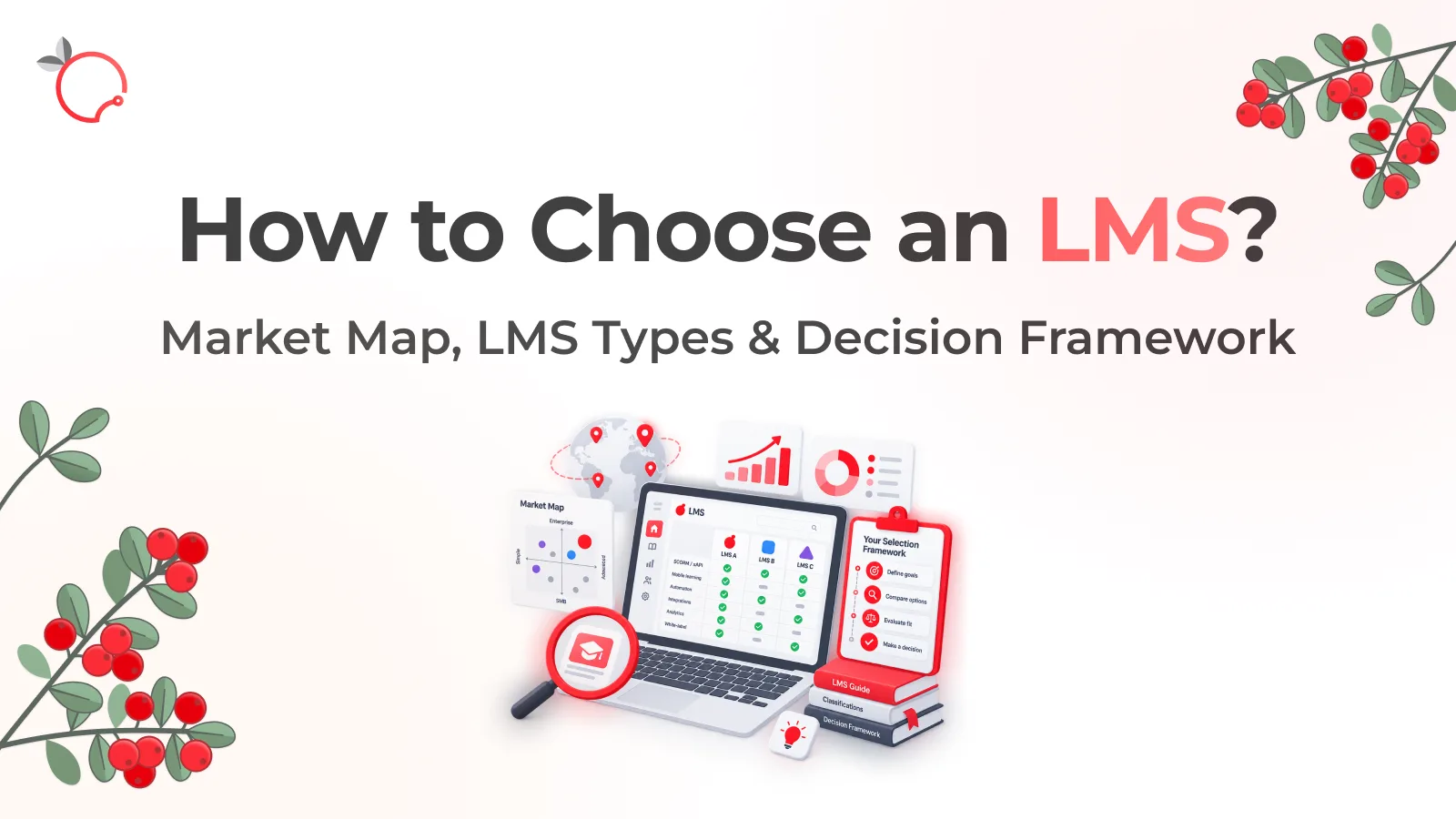
SCORM is an e-learning standard that defines how a learning course interacts with an LMS. A SCORM package can send information to the system about course completion, status, score, progress, and learning time.
This makes it possible to use ready-made e-learning courses in different compatible LMS platforms and allows the LMS not only to launch the course, but also to store and display learning results.
What is SCORM?
SCORM (Sharable Content Object Reference Model) is a standard that defines how electronic learning content interacts with a Learning Management System (LMS).
SCORM is not a format for the course itself and does not define how learning content should look. Instead, it provides technical rules for exchanging data between the course and the LMS.
For example, a SCORM course can send the LMS information that an employee:
- started the course;
- completed the course;
- did not complete the course;
- passed or failed the course;
- achieved a specific score;
- completed a certain part of the course;
- spent a certain amount of time learning;
- stopped the course and can continue it later.
In this way, SCORM connects learning content with the learning management system.
Why is SCORM needed?
The main purpose of SCORM is to ensure compatibility between learning content and an LMS.
A company can create an e-learning course in a specialized authoring tool, export it as a SCORM package, and then upload that package to a compatible LMS.
The process can be simplified as follows:
Author creates a course → exports it as SCORM → uploads the package to the LMS → employee takes the course → course sends data to the LMS → LMS stores the results.
This makes it possible to use an existing library of e-learning courses without tying the content to a specific learning system.
How does SCORM work?
A SCORM course is usually delivered as a ZIP archive containing the course files and information describing its structure.
After the package is uploaded, the LMS unpacks it and launches the learning content.
During the learning session, the course communicates with the LMS through the SCORM API and sends information about the current session.
For example:
Employee opens the course → studies the material → completes activities → takes a test → course sends the result → LMS stores the employee's result.
Depending on the SCORM version and the specific course, the following information can be transmitted:
- completion status;
- success status;
- score or result;
- minimum and maximum score;
- progress;
- learning time;
- current position in the course;
- data required to resume learning;
- results of individual interactions and questions.
SCORM 1.2 and SCORM 2004 use somewhat different data models, but the basic principle remains the same: the course communicates with the LMS and sends information about its state and results.
SCORM as a separate learning object
A SCORM package is best treated in an LMS as a separate type of learning content, rather than simply as a set of pages embedded into another learning object.
This is because SCORM does not interact with the LMS only as visual content. It has its own data model: a course can send its status, score, progress, learning time, resume data, and other information.
For example, from an architectural perspective, it is not always convenient to place SCORM inside a Longread that already has its own completion status.
This can create two independent state models:
Longread → its own status
SCORM → its own status and results
It is therefore more logical for an LMS to store SCORM as a separate learning object and then use it in courses, learning programs, and other training scenarios.
This preserves the SCORM-specific logic and prevents the results of different types of learning content from being mixed together.
What data does SCORM send to an LMS?
One of the main advantages of SCORM is its ability to send learning results back to the LMS.
Depending on the SCORM version and the capabilities of the specific course, the LMS can receive:
| Data | What it shows |
|---|---|
| Status | The current state of course completion |
| Completion | Whether the employee has completed the course |
| Success | Whether the employee has successfully passed the course |
| Score | The employee's result |
| Passing score | The score required for successful completion |
| Progress | How far the employee has progressed |
| Time | How long the employee spent learning |
| Position | Where the employee stopped |
| Session data | Information required to resume learning |
| Interactions | Results of individual activities or questions, if the course sends them |
For example, SCORM 1.2 uses lesson_status, which can contain values such as completed, passed, failed, or incomplete. SCORM 2004 separates completion and success using completion_status and success_status.
This distinction is important. An employee can complete a course without passing it based on the required test result. SCORM 2004 allows these two states to be reported separately.
What should an LMS do with SCORM results?
SCORM support is not just about being able to upload a ZIP file and launch the course.
An LMS should be able to:
- launch the SCORM package;
- establish communication between the course and the LMS;
- receive the data sent by the course;
- store that data;
- correctly determine the learning result;
- display the result to the learner and in reports.
The last point is especially important for a company.
It is not enough for the SCORM course itself to show the employee:
Score: 86%
The LMS should receive that score and use it in its learning records.
For example, a manager should be able to see in a report:
John Smith — course completed — 86% — passing score 80% — passed.
Or:
Anna Smith — course completed — 64% — passing score 80% — failed.
The correct data flow is therefore:
SCORM package → learning data → LMS → learning result → report.
This is why the quality of SCORM support in an LMS is determined not only by whether the course launches, but also by how accurately the system receives, stores, and uses the results.
Resuming learning
SCORM can also store the data required to continue learning in a later session.
For example, an employee starts a course, completes several sections, closes it, and returns the next day.
When SCORM and the LMS work correctly, the employee can continue from the saved position.
SCORM uses data such as lesson_location and suspend_data for this purpose. The LMS must store this information and provide it to the course when it is launched again in the same learning context.
For the employee, the experience is simple:
Start course → stop → return later → continue learning.
Technically, however, this requires correct operation on both sides — the SCORM package and the LMS.
SCORM 1.2 and SCORM 2004
The two versions most commonly encountered in practice are SCORM 1.2 and SCORM 2004.
Both solve the same fundamental problem — enabling an electronic course to interact with an LMS — but they differ in their data models and capabilities.
One important difference is how they handle status.
In SCORM 1.2, the course status is reported through lesson_status. In SCORM 2004, completion and success are separated into completion_status and success_status. SCORM 2004 also introduced a more advanced model for interactions and sequencing.
When choosing an LMS, it is important to check which SCORM versions and editions it supports, especially if a company already has a large library of ready-made courses.
What does a company gain from using SCORM?
SCORM is particularly useful for companies that already use e-learning courses or purchase ready-made content from external providers.
It makes it possible to:
- use an existing course library;
- move compatible content between LMS platforms;
- track course completion;
- receive test results;
- save employee progress;
- use courses created by external providers;
- include SCORM courses in learning programs;
- avoid recreating existing content when changing LMS platforms.
What does the employee gain?
For employees, SCORM is usually invisible.
They simply open a learning course inside the LMS, study the material, complete activities, and take tests.
At the same time, the system can:
- save their progress;
- record their score;
- display their learning status;
- allow them to continue the course later;
- include course completion in an overall learning program.
In other words, SCORM primarily works at the level of interaction between learning content and the LMS, while the employee experiences a regular learning process.
SCORM and other e-learning formats
SCORM is not the only way to use electronic learning content in an LMS.
Modern systems may use:
- SCORM;
- H5P;
- video;
- HTML content;
- interactive materials;
- tests;
- documents;
- other formats.
SCORM and H5P, for example, serve different purposes.
SCORM is often used for complete e-learning courses created in specialized authoring tools and then uploaded to an LMS.
H5P makes it possible to create interactive content directly within a learning environment or use ready-made H5P materials.
The choice between SCORM, H5P, and other formats therefore depends on the learning objective, content type, and the results that need to be tracked.
Which LMS platforms support SCORM?
SCORM is supported by many modern LMS platforms. However, support for specific versions of the standard and individual capabilities may differ.
Before migrating an existing course library, it is worth checking:
- which SCORM versions the system supports;
- which data it can receive;
- whether results are stored;
- whether statuses appear in reports;
- whether progress can be resumed;
- whether test results are handled correctly.
It is important to distinguish between "the LMS can launch SCORM" and full SCORM support.
SCORM in CRM systems
Today, SCORM can be used not only in a standalone LMS.
When an LMS is integrated with a CRM or another workplace system, e-learning can be brought directly into the employee's work context.
Brusnika LMS allows SCORM courses to be used with the following CRM and business systems:
| System | SCORM via Brusnika LMS |
|---|---|
| Bitrix24 | ✓ |
| Kommo | ✓ |
| RD Station | ✓ |
| Odoo | ✓ |
| Zoho CRM | ✓ |
| Attio | ✓ |
| Dolibarr | ✓ |
| Bigin | ✓ |
This makes it possible to use an existing SCORM course library together with the company's workplace system while storing learning results in the LMS.
This creates a single learning and work environment:
CRM → work activities
Brusnika LMS → learning and development
SCORM → e-learning content
Integration → learning in the work context
How to use SCORM in Brusnika LMS
Brusnika LMS supports SCORM courses as a separate type of learning content.
A SCORM package can be uploaded to the LMS, assigned to employees, and included in learning programs. The LMS receives course completion data and stores learning results.
SCORM courses can be used together with other Brusnika LMS capabilities:
- courses and learning programs;
- onboarding;
- testing;
- mandatory training;
- role-based learning;
- performance and assessment results;
- other employee development scenarios.
SCORM remains a separate learning object with its own interaction model and results.
What to check before uploading a SCORM course
Before using a ready-made course, check:
- which SCORM version the package uses;
- whether the LMS supports it;
- whether the course launches correctly;
- whether completion status is transmitted;
- whether the result is transmitted;
- whether completion is recorded correctly;
- whether the passing score is taken into account;
- whether progress is saved;
- whether learning can be resumed;
- whether results appear correctly in reports;
- whether repeated attempts are handled correctly.
This is especially important before launching an existing course library at scale.
Common SCORM problems
Even when an LMS supports SCORM, an individual course may still fail to work correctly.
Common situations include:
- the SCORM package does not launch;
- the course launches but does not send its result;
- the LMS shows the wrong status;
- course completion is not recorded;
- the score does not appear in reports;
- the course starts from the beginning after the employee returns;
- the course displays one result while the LMS receives another;
- the SCORM package works in one LMS but requires compatibility testing in another.
The cause may be in the SCORM package itself or in the LMS implementation.
That is why it is important to test not only whether the course launches, but the entire cycle:
launch → learning → data transfer → storage → result display → return to the course.
Conclusion
SCORM is a standard for interaction between electronic learning content and an LMS.
It makes it possible to use ready-made e-learning courses, send completion data to an LMS, and store learning results.
At the same time, full SCORM support is more than simply being able to upload and launch a package. An LMS should correctly receive statuses, scores, progress, and resume data, store them, and use them in reporting.
For a company, this turns SCORM from a simple e-learning format into part of a managed learning process:
learning content → completion → result → report → decision about further development.
When an LMS is integrated with a CRM, SCORM courses can also be used directly in the employee's work context — where they perform their tasks and access learning.